Mechanical Keyboard Buying Tips: Switches, Features, and Performance Explained
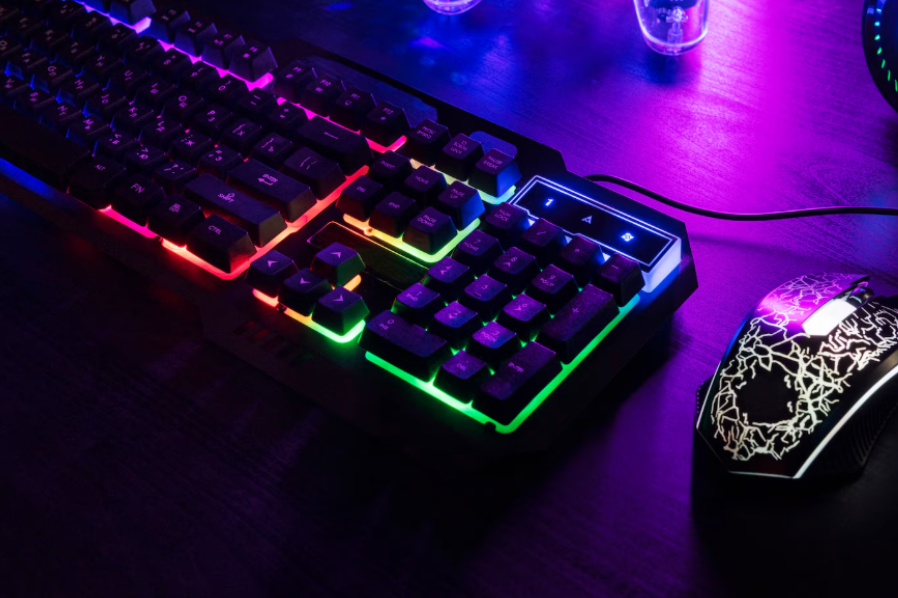
Mechanical keyboards have grown in popularity for both work and gaming due to their durability, tactile feedback, and precision. Unlike traditional membrane keyboards, mechanical keyboards use individual mechanical switches beneath each key, offering a more responsive typing experience. Among the many options available, the Razer mechanical keyboard is widely recognised for its high performance, customisable features, and durable build quality. This makes them a preferred choice for people who type extensively, play games that require rapid keystrokes, or simply want a more satisfying and accurate keyboard.
Choosing the right mechanical keyboard requires understanding the different types of switches, keyboard layouts, build quality, and additional features. While mechanical keyboards can be more expensive than standard options, their longevity and performance benefits often justify the investment.
Understanding Mechanical Switches
The most important aspect of a mechanical keyboard is the type of switch used. Switches determine how the keys feel and sound when pressed. They generally fall into three categories: tactile, clicky, and linear.
Tactile switches provide a noticeable bump when the key is activated, helping typists know when a keypress has registered. This is useful for both typing and gaming, where precision is important. Clicky switches produce a tactile bump along with an audible click, offering feedback that many users find satisfying. Linear switches, on the other hand, move smoothly without bumps or clicks, which can be ideal for fast-paced gaming where multiple rapid key presses are needed.
Understanding the switch type that suits your needs is essential before choosing a mechanical keyboard.
Keyboard Layout and Size
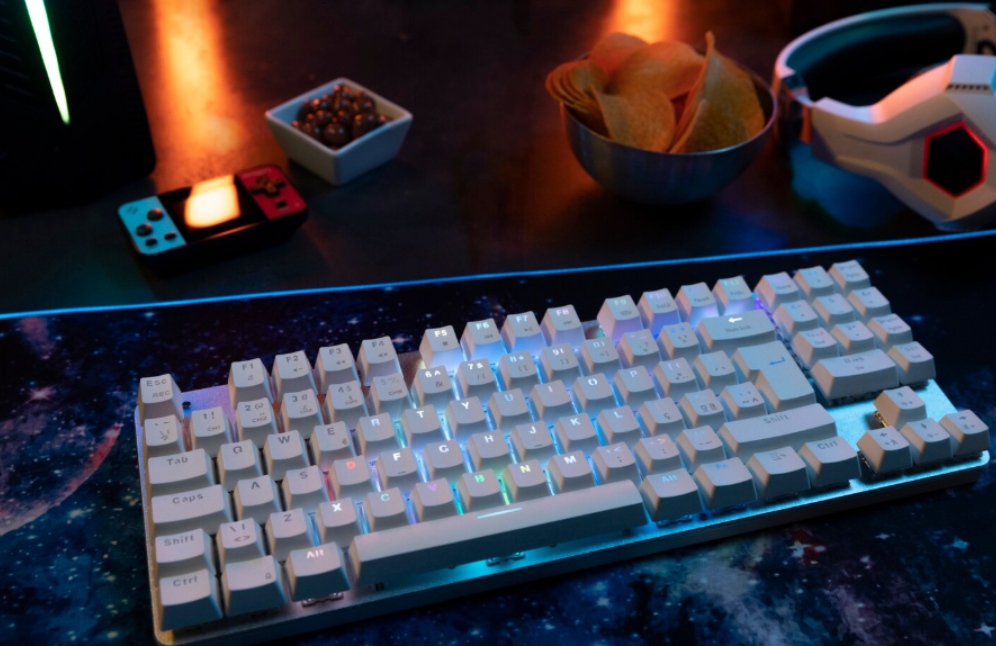
Mechanical keyboards come in various sizes: full-size, tenkeyless (TKL), and compact (60% or 65%). Full-size keyboards include a numeric keypad and all function keys, ideal for office work and data entry. TKL keyboards omit the numeric keypad, saving desk space while retaining essential keys. Compact keyboards focus on portability and minimalist design, suitable for small desks or for those who travel frequently.
Choosing the right layout depends on your space, workflow, and personal preference. Some gamers may prefer compact layouts for mouse movement, while office users might need a full-sized keyboard for productivity.
Build Quality and Materials
Mechanical keyboards are generally more robust than standard keyboards, but build quality still varies. Keyboards with metal backplates, high-quality keycaps, and sturdy frames tend to last longer and provide a more premium typing experience. Keycap material, such as PBT versus ABS, affects durability, texture, and resistance to wear over time.
Durable keyboards not only feel better but also withstand heavy use without keys becoming loose or unresponsive.
Features to Look For
Modern mechanical keyboards offer a range of additional features to enhance functionality. Backlighting, including RGB options, improves visibility in low-light environments and adds a personalised aesthetic. Programmable keys and macro support allow users to automate repetitive tasks or complex commands, which is especially valuable for gamers and professionals who use software with shortcuts.
Some keyboards also include USB pass-through ports, volume controls, or wrist rests to increase convenience and comfort during long typing or gaming sessions.
Noise Considerations
Mechanical keyboards can be louder than membrane keyboards, particularly with clicky switches. Users should consider the environment where the keyboard will be used. For shared spaces or offices, tactile or linear switches may be preferable to reduce noise. Many mechanical keyboards now offer dampening features or silent switch options to minimise sound without compromising performance.
Connectivity Options
Most mechanical keyboards are wired to ensure low latency and consistent performance, particularly for gaming. However, wireless mechanical keyboards are also available, offering flexibility and cleaner desk setups. Battery life and connection reliability are important factors to check when opting for wireless models.
Maintenance and Longevity
Mechanical keyboards are relatively easy to maintain compared to membrane keyboards. Keycaps can often be removed for cleaning, and individual switches can sometimes be replaced. Regular cleaning helps maintain typing feel and prevents dust or debris from affecting performance. High-quality mechanical keyboards can last many years, making them a cost-effective choice over time.
Conclusion
Mechanical keyboards offer unmatched precision, tactile feedback, and durability for both work and gaming. Selecting the right one involves evaluating switch types, keyboard layout, build quality, and additional features. Consider your typing habits, desk space, noise tolerance, and need for extra functionality when making a decision.
A well-chosen mechanical keyboard can greatly enhance typing speed, comfort, and overall experience, making it a valuable investment for anyone who spends significant time at a computer.
FAQs
What is the main difference between mechanical and membrane keyboards?
Mechanical keyboards use individual switches for each key, providing better tactile feedback, durability, and precision compared to membrane keyboards.
Which switch type is best for gaming?
Linear switches are often preferred for fast-paced gaming due to their smooth keystrokes, while tactile switches provide feedback for more precise typing.
Are mechanical keyboards noisy?
Clicky switches can be loud, but tactile or linear switches are quieter and suitable for shared environments.
Can mechanical keyboards be cleaned and maintained?
Yes, keycaps can be removed for cleaning, and some keyboards allow individual switches to be replaced, ensuring longevity and consistent performance.