The Reasons Why MuMuPlayer Is the Android Emulator of Choice in 2026
You have been caught in the center of an active mobile battle, your phone may have overheated, your battery has been depleted to 5%, or you have been distracted by a random notification; you understand the pain. Mobile gaming has come a long way; however, sometimes, a 6-inch screen is not enough.
Enter MuMuPlayer. Being an Android emulator that was created by gamers to suit gamers, it allows filling the gap between PC power and mobile convenience. Be it an interested FPS player or a simple gacha player, transferring your gaming to a PC can entirely alter your experiences with your favorite games.
The Evolution of the Android Emulator
Not a long time ago, using an Android emulator was a matter of luck. They were usually hogs of resources and had a PC fan that sounded like a jet engine. In 2026, the situation is different. MuMuPlayer has been at the forefront of this directive by emphasizing efficiency. It is not merely about running mobile applications on a computer but optimization of the same. MuMuPlayer offers versions based on Android 12, delivering improved compatibility and performance for certain newer games and applications to make even the most demanding games run with the same stability as an actual PC application.
Reasons to play your Mobile Games on PC
Before going to discuss the technical how-to, first we have to discuss the why. Why do you have to use an Android emulator?
- Precision Control: This is not the kind of pro-caliber precision needed to be able to swipe your thumb across glass. In the case of MuMuPlayer, you have complete mouse and keyboard support.
- Visual Splendor: The graphics of modern mobile games are spectacular, and they are usually wasted on a small screen. It is an eye-opener to see them on a 27-inch monitor in 4K.
- Unlimited Battery: You can be playing up to twelve hours without worrying about the charger.
- Hardware Performance: The CPU and the GPU of your PC are much more powerful than any chip of a smartphone. It implies increased frame rates and no thermal throttling.
The Major Differences That Set MuMuPlayer Apart
- The 240 Hz High-Frame Rate Mode
Most cell phone models have a maximum of 60 Hz or 120 Hz. MuMuPlayer is the solution to those barriers. In case you possess a high-rate monitor, you may push the supported games to 240 FPS. This additional fluidity will provide you with an enormous benefit during such a high-paced game as Free Fire or Call of Duty: Mobile, where each millisecond really matters.
- Low Resource Consumption
A major complaint made concerning emulators is that they slow down the rest of your PC. MuMuPlayer is extremely lightweight. It relies on a special virtualization technology that allocates only the necessary, which enables you to have Discord, a browser, and your game running at the same time without any lag.
- Smart Key Mapping
Whereas others present the emulator with an open-ended control situation, MuMuPlayer has Smart Keys. It identifies and uses a professional control scheme to apply to whichever game you are playing automatically. Naturally, as a power user, you will be able to customize every button, trigger, and macro to your preference.
Compliance: No PC Left Behind.
MuMuPlayer can be used without a 3000-liquid-cooled gaming machine. It is compatible with a great variety of hardware.
- Low-End PCs: MuMuPlayer provides performance optimization modes that enables you to play even with a laptop with built-in graphics and with 4 GB of RAM.
- High-End Rigs: With users having current NVIDIA or AMD cards, the emulator is unlocked to use the Vulkan rendering and screen ultra-high resolutions to give a console-quality experience.
- Mac Users: MuMuPlayer is also highly compatible with MacOS (along with Apple Silicon (M1/M2/M3 chips) optimization), which is not common among emulators.
Building the Ultimate Gaming Station.
It is incredibly easy to begin with. MuMuPlayer does not require the user to be a tech genius to use.
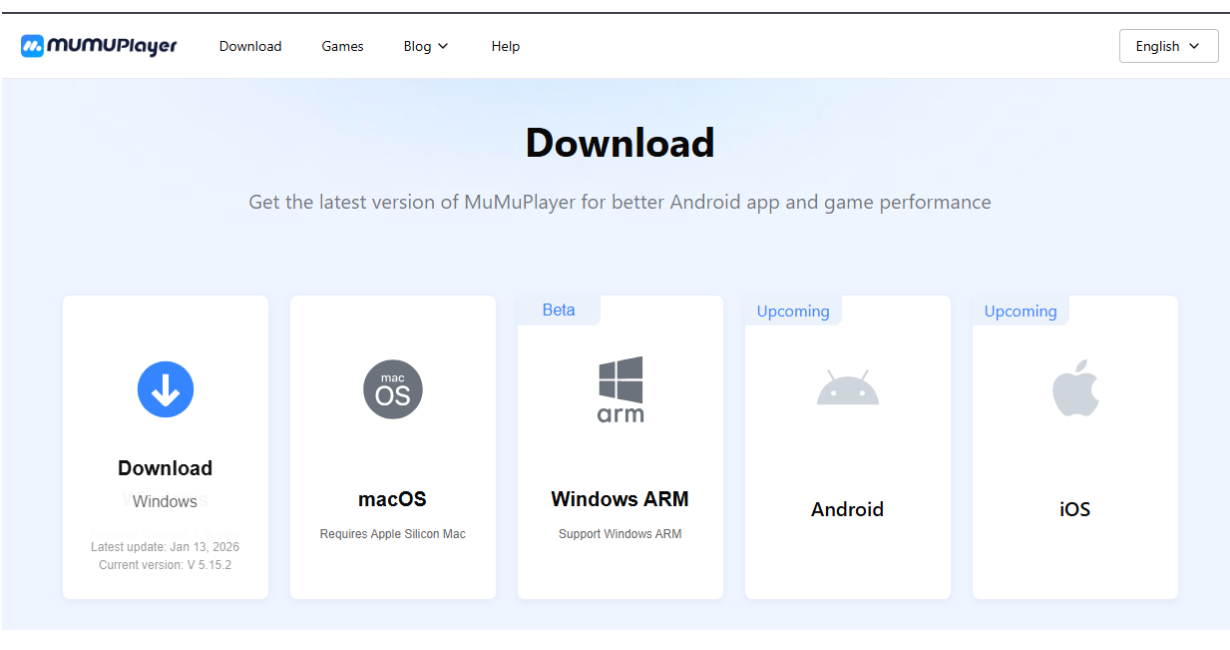
- Download: Visit the mumuplayer.com site.
- Install: Visit the download page and download the latest version).
- Enable VT: To have the best experience, you have to ensure that the Virtualization Technology is turned on in the BIOS of your PC. (MuMuPlayer offers a useful tutorial on how to do this in case you do not know how to).
- Play: You just have to log in to the Google Play Store, download your game, and you are good to take over.
Is MuMuPlayer Worth It?
The answer to this question is absolutely yes, in case you take your gaming at all seriously. The shift from a touchscreen to a dedicated Android emulator on PC is comparable to the one made between a bicycle and a sports car.
MuMuPlayer manages to succeed where the rest fail, as it is fast, clean and very powerful. It does not put you on your desktop with adverts, and neither does it slow your system. It just does what it is supposed to do: it makes your games better.
Final Thoughts
The distinction between mobile and PC gaming continues to fade away. With android emulator like MuMuPlayer, the platform doesn’t matter anymore; the experience does. When you shift your gameplay to the PC, you will not be merely playing a game but actually unleashing the full potential of it. Curious to see what a difference it makes? Give it a try and Innovate your gaming experience with MuMuPlayer.