Best Laptop for VR: Ultimate Performance Buying Guide
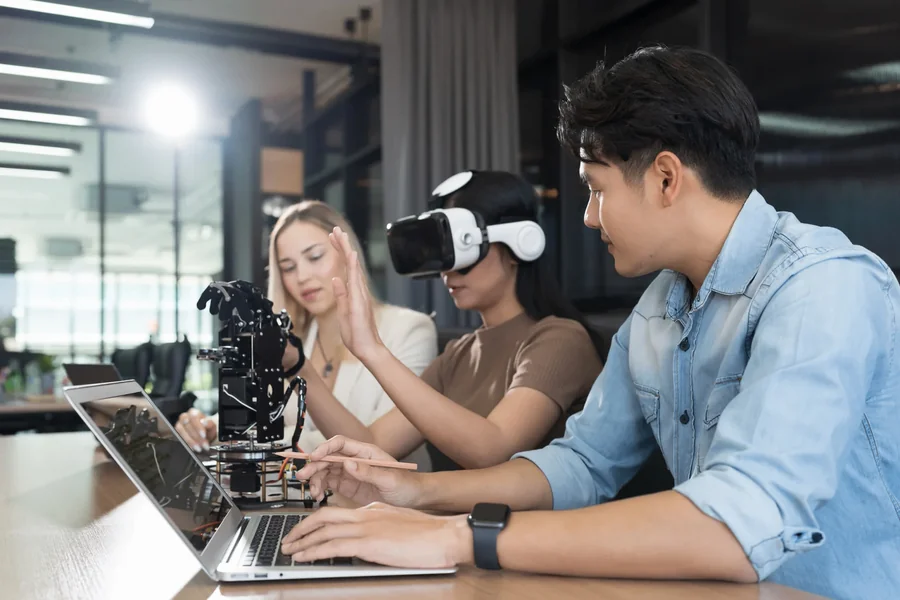
Virtual reality is no longer a niche technology but a mainstream gaming, education, design and simulation experience. With the progress of headsets sophisticated machines are also demanded that are powerful and portable. The process of selecting an optimal laptop to use during vr is not only about the speed, but the appropriate mix of graphics, processing, and compatibility.
In contrast to normal gaming VR demands very constant frame rates and low latency to prevent motion sickness and ensure the presence of immersion. It implies that not all laptops, including expensive models can support VR effectively. A system should continuously provide a smooth performance to serve gadgets such as Meta Quest (when tethered), HTC Vive or Valve Index.
Learning about the requirements to make a laptop VR-ready can prevent you from facing performance problems and guarantee a convenient experience whether playing games, creating VR-related content, or navigating through virtual worlds.
What Makes a Laptop VR Ready
To run VR devices, a laptop should have particular hardware requirements, allowing it to operate efficiently. The most important component is the graphics card. The special graphics card is also necessary since integrated graphics would not be able to cope with the workload of VR rendering.
Recent experiences in VR necessitate high frame rates, usually 90 FPS or more, to avoid discomfort and lack of realism. This puts a heavy load on the graphics processor and NVIDIA RTX or similar graphic cards are a frequently used requirement.
The processor also plays an important role. The powerful CPU will make sure that the physics, background processes, and game logic does not hit a bottleneck. Multi-core processors are preferred for VR workloads.
The other important factor is RAM. A minimum of 16GB is usually suggested, however, 32GB is recommended to use with greater performance in multitasking and use of VR.
Finally, connectivity matters. USB ports, Displayport support, and high-speed data transfer speeds are required to connect VR headset and accessories without delay and interruptions.
Essential GPU and CPU Requirements for VR
The most significant thing to consider when seeking the most suitable laptop to use in vr is the GPU. VR apps also use high-resolution graphics, and both eyes need to be supplied with images in real-time, i.e. the graphics card must be very strong to provide high-resolution images in both eyes at the same moment.
Commonly considered as VR-ready laptops include NVIDIA RTX 3060, 3070, 4060, or more. Such GPUs have the capability of real-time ray tracing and powerful performance in the harsh environment.
On the CPU side, any Intel Core i7 or i9 CPU, or AMD Ryzen 7 and Ryzen 9 CPU, would be suitable to VR workloads. These processors make sure that the system is capable of doing many tasks without the slowdown of the GPU.
It is necessary to have a balanced set of CPU and GPU. A strong graphics card can be hindered by a poor processor hence, a strong processor and a strong graphics card need to co-exist effectively to enable a smooth VR performance.
Thermal management is also important. VR gaming has the potential to strain the laptops, thus effective cooling systems can be used to ensure the same level of performance throughout the long sessions.
Display, Ports, and Connectivity Considerations
Although VR itself is consumed via a headset, the display on the laptop and connectivity features are still important. Having a high-refresh-rate display is beneficial to be able to alternate between VR and regular gaming, or desktop use.
More to the point, the laptop should have the appropriate ports. To connect VR headsets and sensors, USB-A, USB-C, and DisplayPort connections are usually necessary. Certain headsets might demand HDMI or special adapters as well.
Speeding up data transmission is necessary to minimize the latency between the laptop and VR device. One of the common applications of Thunderbolt ports is high-speed connections and docking stations.
Wireless VR is growing in popularity, yet numerous devices use a wired connection to achieve the maximum stability. A laptop with high connectivity features will allow it to work with more VR systems.
Quality of construction as well as ergonomics are also important, particularly to the users who have to carry their laptops with them during VR creation, or when playing their favourite computer games anywhere.
Best Performance Features for VR Gaming
The most crucial aspect in selecting the best laptop in vr gaming is performance. Natural frame rates are crucial to avoid motion sickness and immersion in virtual worlds.
The best option is usually high-end gaming laptops with dedicated RTX GPUs. The machines are created to be able to manage aggressive games and VR applications without decreased performance.
Cooling systems are very important in ensuring performance. A combination of advanced cooling devices like multiple fans, vapor chambers or liquid metal thermal compounds, assists in keeping the temperatures in check.
VR is also dependent on storage speed. SSD storage means the large VR environment loading times can be shorter, and can also provide the ability to stream assets without any issues.
The refresh rate and response time of the laptop display has no direct impact on VR; however, the display enhances the gaming experience overall, in switching between VR and standard gameplay.
Software optimization to improve performance and reduce latency in gameplay is also found in many VR-ready laptops.
Best Use Cases for VR Laptops
Gaming is not the only use of a VR-capable laptop. It is applicable in a broad spectrum of work and artistry.
VR laptops in gaming enable people to experience immersion, simulation and interaction in games. This encompasses the likes of racing games, up to first-person adventures.
Simulations in the education and training sector of use of VR are in medicine, engineering and aviation. An effective laptop will guarantee responsive and realistic virtual worlds.
VR laptops are used by content creators in 3D modeling, animation, and virtual production. They are workflows that demand powerful GPUs and CPUs to cope with the intricate rendering tasks.
VR technology also helps architects and designers to visualize spaces and buildings prior to construction. This enables planning and presenting to the clients.
VR-capable laptops are becoming more valuable in the workplace even in the context of virtual meetings and collaboration tools used in a corporate setting.
How to Choose the Right VR Laptop
A laptop is a personalized item according to your budget, usage and expected performance. Assuming that you are a gamer, you should concentrate on the performance of the graphics card and how well it cools.
When designing a computer to work with VR or 3D design, focus on the CPU power, RAM, and storage speed. These are factors that have a direct impact on productivity and efficiency of workflow.
Portability is another consideration. Powerful VR laptops are frequently bigger and heavier because of sophisticated cooling. When you travel a lot, you might have to be able to compromise performance and mobility.
Budget is significant too. Simple VR experiences can be supported by entry-level VR laptops, and powerful models are capable of performing at ultra-smooth levels with more challenging applications.
Future-proofing is also of importance. Getting a slightly better specification is a sure way to make sure that your laptop will not be left behind when VR software is developed further.
Final Thought
To identify the ideal laptop to use in vr, attention should be given to the performance, graphics ability and compatibility of the system. VR is also among the most demanding computing experiences that require well-balanced computing systems in order to provide smooth and immersive outcomes.
Good CPU, strong graphics processor, enough RAM, good connectivity are all needed to have any reliable experience in VR. Price, portability might be important, but performance must come first.
With the further development of virtual reality, the purchase of a laptop supporting VR leaves you ready to game, work on a laptop, and other immersive technologies in the future. The selection of the appropriate system today can bring years of strong and flawless VR experiences.
FAQs
What is the best laptop for vr gaming?
The best VR gaming laptops have powerful RTX GPUs, strong CPUs, and at least 16GB of RAM for smooth performance.
Can any laptop run VR?
No. Only laptops with dedicated graphics cards and sufficient performance can handle VR properly.
How much RAM is needed for VR?
At least 16GB of RAM is recommended, but 32GB is better for advanced VR applications.
Do I need a gaming laptop for VR?
Yes. Gaming laptops with dedicated GPUs are typically required for a good VR experience.
Is RTX 3060 enough for VR?
Yes. An RTX 3060 can handle many VR games at good performance levels.
Can laptops overheat during VR use?
Yes. VR is demanding, so good cooling systems are important to prevent overheating.
Is VR better on PC or laptop?
Both can work well, but high-end desktop PCs usually offer more consistent performance.